
Using Calendars for Peak Productivity

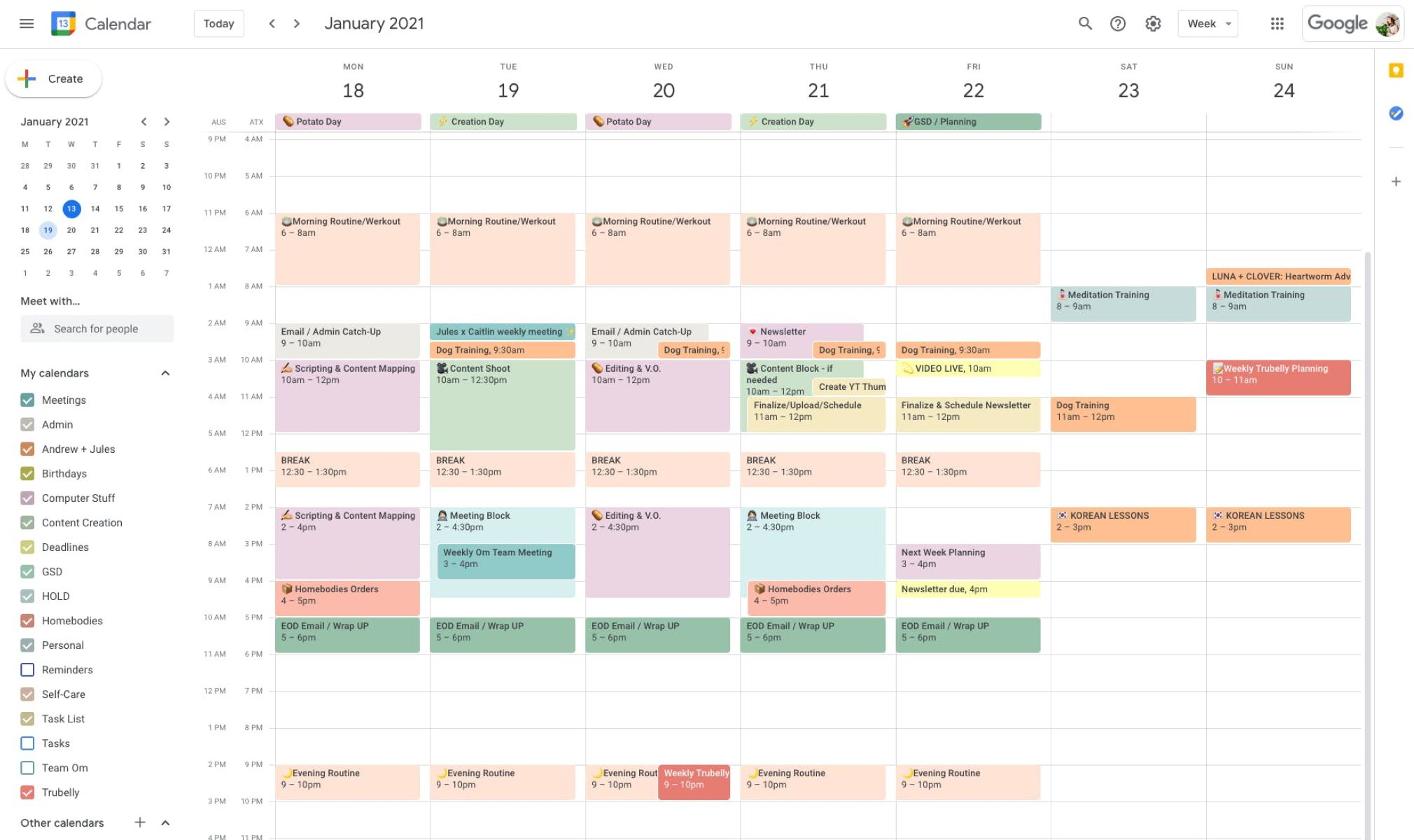
Today’s Productivity Tip: Start Using Calendars — Properly
Most people use a calendar to remember appointments. That is the lowest possible use of one of the most powerful productivity tools available to you.
A well-structured calendar is not a reminder system. It is a visual map of your life — your roles, your responsibilities, your growth, your worship, your family, your health — all in one place, all visible, all intentional.
Here is how to use it properly.
1. Build Role-Based Calendars
Stop dumping everything into one calendar. Create separate calendars for each major role in your life — Health, Intellect, Family, Breadwinner, Community, Spiritual — and assign each one its own colour. The result is a clean, structured view of how your time is actually distributed across what matters most.
When you can see all your roles at a glance, you can see immediately which ones are getting your attention and which ones are being neglected.
2. Use Team Calendars
If you work with others — a team, a partner, a business — shared calendars change everything. Schedule your Zoom and Google Meet calls properly and they will automatically appear in everyone’s calendar. No more chasing confirmations, no more missed meetings, no more “I forgot about this.”
Shared visibility creates shared accountability.
3. Add Recurring Tasks and Reminders
This one is underused and enormously powerful. Add your recurring commitments once — and let the calendar carry them forever.
Some examples worth setting up right now:
- Recite Surah Kahf every Friday
- Morning Azkar and Surah Yaseen
- Evening recitation — Surah Waqiah and Surah Mulk — with Azkar
- Monthly vehicle and machinery maintenance checks
When these are in your calendar as recurring events, they stop being things you try to remember and become things you simply do.
4. Add Salah Times Automatically
You do not need to manually enter prayer times. There is a free tool that adds automatically updating Salah times directly to your Google Calendar:
One setup. Your prayer times in your calendar, always accurate, updating automatically. Your دین and your دنیا — in the same system.
5. Keep One Calendar Public
Make at least one calendar public so that colleagues, clients, and collaborators can see your availability and invite you to events directly. This eliminates the back-and-forth of scheduling and signals that you are organised and easy to work with.
6. Add Your Learning Schedule
If you are doing a Coursera course — or any structured learning programme — add the course calendar to your Google Calendar. Your learning becomes a scheduled commitment, not an aspiration. Your TRQ2 learning tracker can be managed this way as well, keeping your intellectual growth visible alongside everything else.
7. Create a Colour Coding System
Colour coding is not decoration — it is a communication system between you and your future self. When you open your calendar and see the week ahead, colours tell you instantly what kind of day or week you are building.
Here is mine as a reference — adapt it to your own roles:
- 🟢 Green — Self: Worship and Spiritual Development
- 🔴 Red — Self: Physical Health
- 🟩 Light Green — Self: Intellect and Learning
- 🟠 Orange — Family
- Build your own system from there
A calendar used this way is not a scheduling tool. It is a life architecture tool — a daily reflection of what you are actually building and whether your time is aligned with what you say matters to you.
Start today. Set it up once. Let it work for you every day after.
And if you need guidance setting up your own system — I am happy to help.
— Kamran Zahid, CEO, Purposelee

Responses